Your First CLAUDE.md
Why this matters
In the last chapter, you installed Claude and had your first conversation. You noticed the response was generic. It didn't know anything about your business. This chapter fixes that.
This is the single most important chapter in the entire course.
CLAUDE is the name of the AI app. .md is just the file type (like .pdf or .docx). You don't need to know anything about the file format. Our builder creates it for you automatically.
Think of it as your business briefing document. Claude reads it every time you start a conversation. That's what makes it useful.
Remember that invoice email from Chapter 2? It was fine. But it was generic. Claude didn't know your business name, your client's situation, how you normally handle things, or even what tone you use in emails.
A CLAUDE.md file (your briefing file) fixes all of that. It's a document that tells Claude everything it needs to know about you and your business. Every time you start a conversation, Claude reads this file first. It's like handing a new employee a one-page briefing on their first day: who we are, what we do, how we do it.
Without a CLAUDE.md: Claude is a smart stranger. Helpful, but clueless about your world.
With a CLAUDE.md: Claude is your business assistant. It knows your name, your clients, your tools, your rules, and your tone of voice.
This is the thing that makes AI actually useful. Not better prompts. Not a fancier AI model. Context.
What we're doing
We've built a guided builder that walks you through it step by step. You answer a few questions about your business, and it creates the file for you. No technical knowledge needed. Just answer honestly and click download at the end.
Takes about 5 minutes. Works on your phone or laptop.
The builder asks you 6 things: your name and business, what you do, who your clients are, what tools you use, how you communicate, and your rules. At the end, you get a file to download and save.
Stuck? Hit the purple Need help? button at the bottom right of this page and ask your question. The AI tutor knows this chapter inside out.
What it looks like when it's done
Here's what a plumber's briefing file looks like once the builder generates it:
CLAUDE.md - Dave Mitchell Plumbing
WHO I AM
Dave Mitchell, owner at Dave Mitchell Plumbing. Based in Brisbane, QLD. I'm not a tech person. Talk to me in plain English.
THE BUSINESS
We do residential plumbing across Brisbane's northside. Hot water systems and gas fitting are our specialty. Just me and one apprentice.
MY CLIENTS
Homeowners, mostly 35-55, doing renovations or dealing with emergencies. They care about someone who shows up on time and charges fairly.
MY TOOLS
Xero for accounting, Gmail for email, Google Calendar
HOW I COMMUNICATE
Very casual. I talk like a normal bloke. Short emails. Professional but not stiff.
RULES
- Never send anything without showing me first
- Always include GST in quotes
- Never discount below $80/hour
- Don't schedule jobs on Fridays (family day)
- Always confirm job scope in writing before starting
See how specific that is? Now when Dave asks Claude to write a quote, it knows the pricing, the tone, the clients, and that Fridays are off limits. The more detail you put in, the better Claude performs.
Once you've built your file
The builder above creates your CLAUDE.md file. Now we need to put it in a folder and tell Claude to work from that folder.
Step 1: Download your file
In the builder above, click "Download as file". It saves a file called CLAUDE.md to your Downloads folder.
Step 2: Create a folder for your business
Open Finder (Mac) or File Explorer (Windows). Go to your Documents folder and create a new folder. Name it after your business, like "UGC by Katrina - Claude" or "Mitchell Plumbing - Claude".
Move the CLAUDE.md file from your Downloads into this new folder. This folder is your AI's working folder (sometimes called a project directory). Everything Claude creates and reads lives in here.
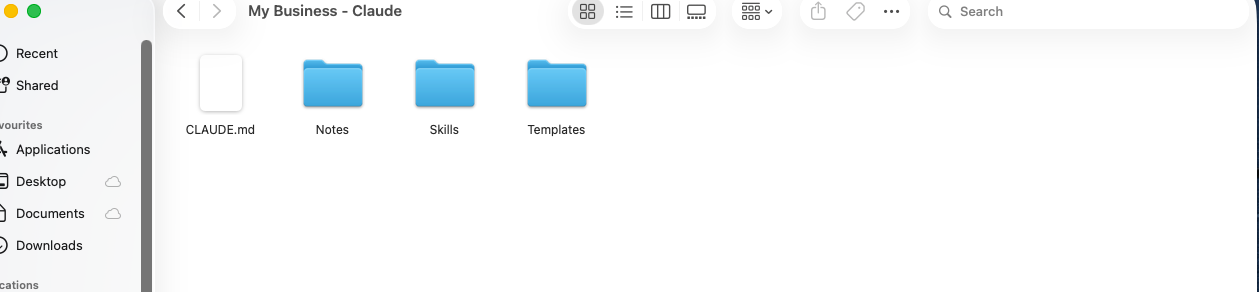
Your Documents folder with your new business folder inside it.
Step 3: Open Claude and select your folder
Open Claude. Click "New session" in the top left. At the bottom of the screen, click "Select folder". Navigate to Documents > [Your Business Name - Claude] and select it.
That's it. Claude reads your CLAUDE.md automatically.
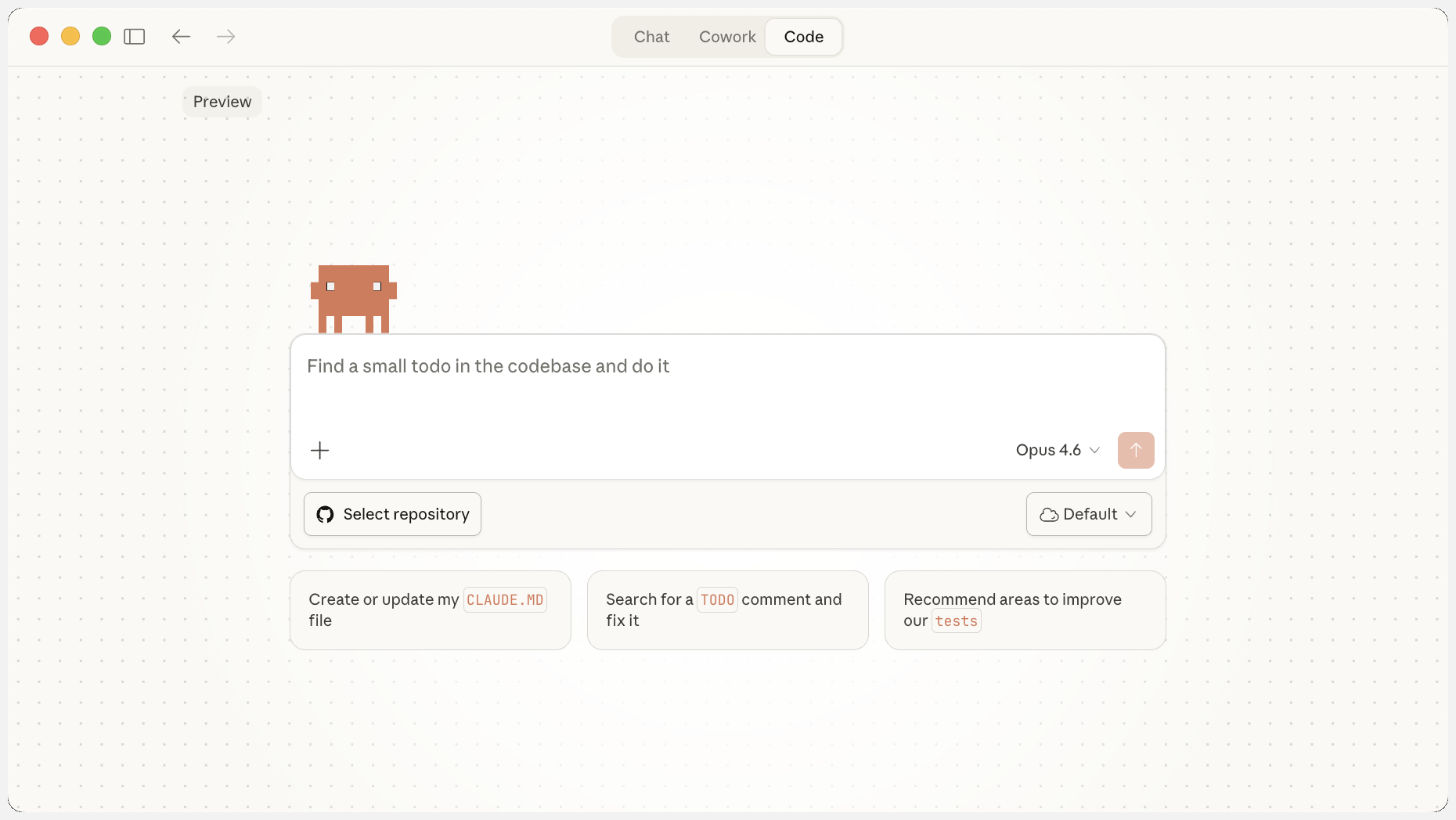
Click "Select folder" at the bottom of the Code tab and navigate to your business folder.
Step 4: Test it
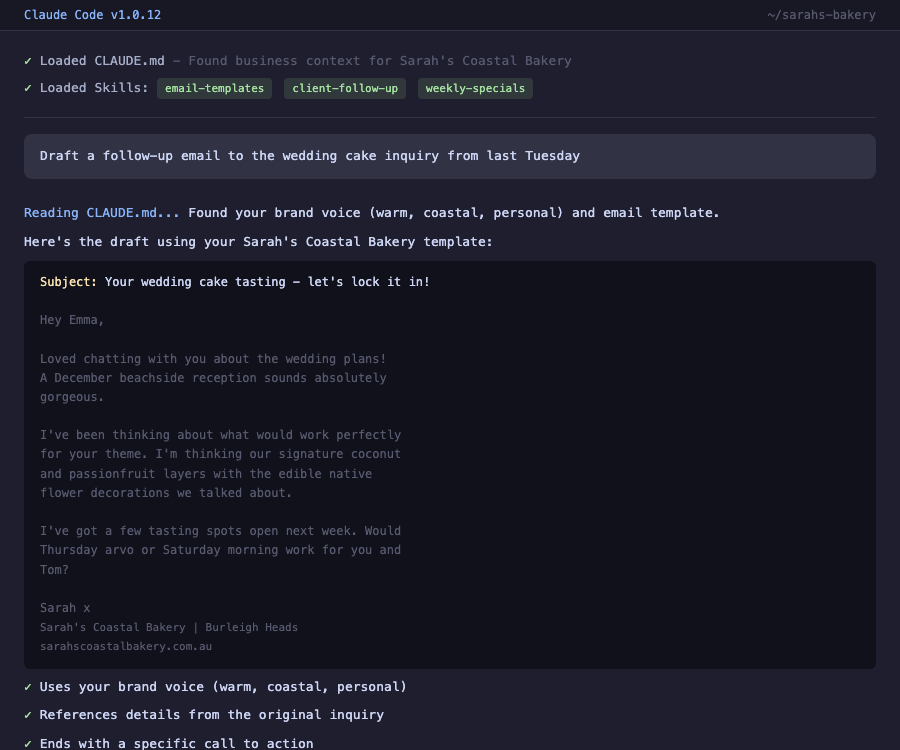
Start a new conversation in your project and type something:
Does Claude know your business name? Your tone? Your rules? It should.
Compare this to the generic response from Chapter 2. That's what your briefing file does.
The first time, yes. After that, Claude remembers your last folder. When you open Claude again, it should already be pointing at your business folder.
Keeping your briefing file up to date
Your CLAUDE.md isn't something you build once and forget about. It's a living document. The more you update it, the smarter Claude gets.
When should you update it? Whenever something changes in your business. The good news is you don't need to find the file and edit it yourself. Just tell Claude:
- New team member? Tell Claude: "Add [name] to my CLAUDE.md as my [role]"
- Pricing changed? Tell Claude: "Update my CLAUDE.md with my new rates"
- New tool? Tell Claude: "Add [tool name] to my tools in CLAUDE.md"
- Claude got something wrong? Tell Claude: "Add a rule to my CLAUDE.md: never offer discounts without asking me first"
- New services? Tell Claude: "Update my services in CLAUDE.md, I now offer [new service]"
Claude edits the file for you. You never need to open it in a text editor. Just tell it what changed and it handles it.
Week 1: Your file says "I run a small business." Claude's responses are okay but generic.
Week 2: You add your specialty and your typical clients. Now Claude's emails actually sound relevant.
Week 3: You add a rule after Claude offered a discount you didn't want. It never does it again.
Week 4: You add your team member's name and schedule. Now Claude works around your team.
Every update makes Claude permanently smarter about your business. Small updates, big impact over time.
Coming up in Chapter 6: We'll build your first "skill" - a reusable recipe that Claude follows every time. One of the most useful skills you can build is a memory keeper that reminds Claude to update your briefing file whenever something important changes. You'll never forget to update it because Claude will prompt you.
What you just learned
- Your CLAUDE.md is a briefing document that teaches Claude about your business
- The guided builder creates it for you - just answer the questions
- Claude reads your CLAUDE.md from your business folder automatically every session
- The more specific you are, the better Claude performs
- Every time something changes in your business, update the file. Claude gets smarter each time.
Try it yourself
- Build your CLAUDE.md using the guided builder
- Download the file
- Create a folder in Documents named after your business
- Move your CLAUDE.md into the folder
- Open Claude and select your folder
- Test it with the email prompt above
- Think of one thing you'd add to your file. Add it now.